WhimKid
AI Bedtime Story Generator: Create an Illustrated Bedtime Book
WhimKid is an AI bedtime story generator for parents and caregivers who want a calm, illustrated storybook tailored to one child. Start with tonight's idea, keep every page editable, add gentle narration, or export a PDF.
Last updated:
New accounts: 100 welcome credits, valid for 30 days. Generation uses credits; usage varies by project.
Lite: $9.90/month or $99.00/year, with 1000 credits each month.
Compare plans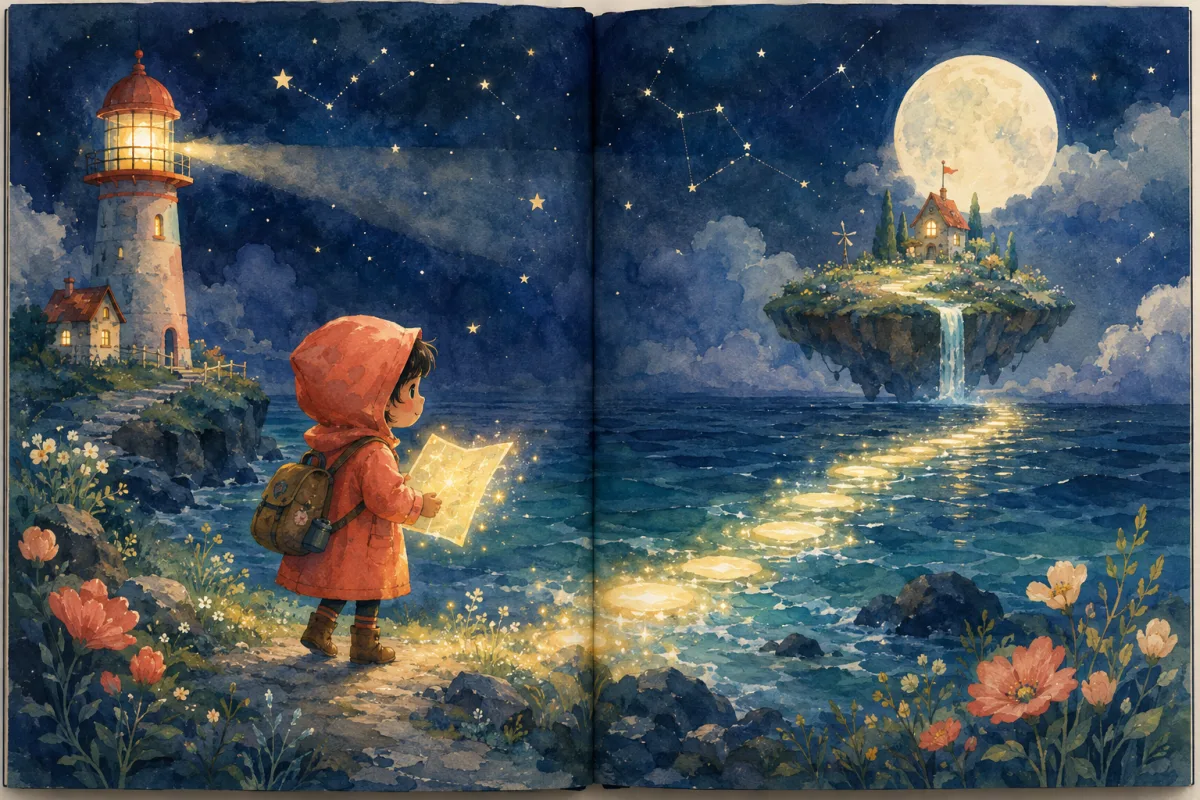
Direct answers
| Question | Direct answer |
|---|---|
| What is an AI bedtime story generator? | Software that turns a short bedtime prompt into a complete illustrated story with age-appropriate vocabulary, calm pacing, and editable pages. |
| Can I personalize a bedtime story with my child's name or favorite toy? | Yes. Include the child's name, age band, favorite stuffed animal, pet, or bedtime routine in the prompt, or use an authorized photo as a character reference. |
| Can I reuse the same bedtime hero every night? | Yes. Save a character reference in WhimKid and select it again for new bedtime adventures in a series. |
| Does it include read-aloud narration and background music? | Yes. Finished books support optional narration, gentle background music, and a page-turn reading view. |
| Can I edit a page if the tone is too exciting for bedtime? | Yes. You can soften sentences, change the ending, regenerate a single illustration, or adjust page order without remaking the whole book. |
| How much does it cost to start? | New accounts receive 100 welcome credits valid for 30 days. Paid subscriptions start with Lite at $9.90/month ($99/year). |
Make a bedtime story that actually fits tonight's routine
A good bedtime story does more than generate random fantasy scenes. It matches the child's reading age, settles the pace toward sleep, and weaves in details the child recognizes: a favorite blanket, a sleepy puppy, a nightlight, or something that happened earlier in the day.
WhimKid builds a complete 10 to 30 page illustrated bedtime book instead of a wall of plain text. You review the script before generating illustrations, keep up to six characters or character references across scenes, and edit any line or picture before reading it together. Start a bedtime story or explore finished examples like Clara and the Little Lantern Light and Mia and the Moonlight Map.
Match bedtime pacing to your child's reading age
WhimKid supports five age bands so vocabulary, sentence length, and story structure match the listener at bedtime:
| Reading age | Bedtime story pacing | Good bedtime themes |
|---|---|---|
| 0 to 3 | Short rhythmic sentences, familiar objects, gentle repetition | Saying goodnight to toys, sleepy animals, bath-to-bed routine |
| 4 to 6 | Clear beginning-middle-end, warm helper characters, cozy resolution | Friendly lantern walks, lost teddy found, calm cloud journeys |
| 5 to 7 | Slightly richer dialogue, small problem solved kindly before sleep | Neighborhood adventures, kind dragons, backyard star-watching |
| 7 to 9 | Multi-scene quests with comforting chapter-like beats | Secret woodland libraries, moonlight maps, teamwork with a sibling |
| 9 to 12 | Longer illustrated stories with deeper curiosity and thoughtful endings | Quiet mysteries, imaginative worlds, reflective travel tales |
If you are unsure which level fits your reader, check the children's book reading age guide.
How to create an illustrated bedtime storybook in 4 steps
- Set the bedtime tone. Enter a short idea—such as a shy fox following fireflies home—then pick the child's reading age and a soft art direction like pastel chalk, crayon doodle, paper collage, or Chinese ink wash.
- Review the script first. Check names, bedtime cues, sentence length, and the ending before spending credits on page illustrations.
- Add or reuse characters. Build a fictional bedtime companion or start from an authorized photo on the personalized story books with photos workflow.
- Edit, narrate, and read together. Fix any single illustration or line in the AI storybook editor, add optional narration and music, share a private link with family, or export a PDF.
Build a recurring bedtime character series
Many children ask for the same hero night after night. In WhimKid, you can save a character reference—whether it is a sleepy bear, a family dog, or a stylized version of your child—and reuse that reference across future bedtime books.
Character references guide continuity across the cover and interior pages, though exact faces, outfits, and proportions can still vary between scenes. Review each page before bedtime and regenerate only the illustration that drifts, keeping the rest of the book intact.
Read aloud, share privately, or export a PDF
Finished bedtime books stay in your WhimKid library so you can open them on a tablet or phone without printing anything:
- Online page-turn reader: Flip through illustrated spreads together with optional narration and background music.
- Controlled family sharing: Share a reading link protected with a password and expiry date so grandparents can read the same bedtime story from afar.
- Digital exports: Download a PDF with or without text, image packs, captioned audio, or a WebM video.
WhimKid delivers digital storybooks and PDFs. It does not print, bind, or ship physical books.
Privacy and adult-led creation
WhimKid is operated by adults for child readers. Children do not need accounts. If you use a child's photo as a character reference, upload only an authorized photo with parent or guardian consent and review the child photo privacy guide and Safety page before sharing.
Compare bedtime story tools honestly
| Option | Best for | What to check |
|---|---|---|
| WhimKid | Complete editable illustrated bedtime books with recurring characters, narration, private links, and PDF export | Credit usage for long books; digital delivery (no print fulfillment) |
| Plain text AI chat | Fast spoken or text-only bedtime stories in seconds | No consistent multi-page illustrations, page layout, or book export |
| Audio-only story apps | Screen-free listening with preset tales | Limited custom plot editing and no illustrated PDF keepsake |
| Print-first personalized book stores | Ordering a physical hardcover gift | Less page-level editing and shipping lead times |
For a broader side-by-side look at tools, see best AI storybook generators in 2026 or explore the full AI storybook maker and AI storybook generator pages.
FAQ
Is WhimKid an AI bedtime story generator with pictures?
Yes. WhimKid generates both the bedtime story script and an illustrated page for each scene in a 10 to 30 page book. You can review and edit every page before reading or exporting.
Can I put my child's name, pet, or favorite toy in the bedtime story?
Yes. Include familiar names, pets, toys, or bedtime routines in your story prompt. You can also save characters or use an authorized photo as a stylized character reference.
Can I keep the same character across multiple bedtime stories?
Yes. Save a character reference and select it again when starting the next bedtime story. References guide visual continuity across books, and you can regenerate any individual page that drifts.
Can I tone down a scene if it feels too intense for bedtime?
Yes. Edit any sentence directly, simplify the ending, or regenerate one illustration with calmer lighting and expression without rebuilding the whole book.
Does WhimKid support audio narration for bedtime reading?
Yes. Finished books support optional narration and background music in the online reader, plus downloadable captioned audio and video exports where available.
Can I export the bedtime story as a PDF?
Yes. You can export an image-rendered PDF with text or without text for offline reading or home printing. WhimKid provides digital files and does not print or ship physical books.
Is it safe to use a child's photo for a bedtime storybook?
WhimKid is designed for adult operation, private libraries, and password-and-expiry sharing links. Only upload photos with parent or guardian consent, and review the Safety and Privacy pages for retention and deletion details.
How much does it cost to create a bedtime storybook?
New accounts receive 100 welcome credits valid for 30 days. The first story script uses 10 credits, and illustrations and narration use credits at the cost shown in the app. Text edits, layout edits, version restore, PDF export, and sharing do not repeat the image generation charge.
Start tonight's bedtime book
Create a bedtime story with 100 welcome credits, browse published storybook examples, or check current plans and credit details.
Make your child the hero of their next story
Bring a photo and a story idea. Create, edit, and share a book your family can read together.
Start with 100 welcome credits